



Oleh Romaniuk
November 16, 2026
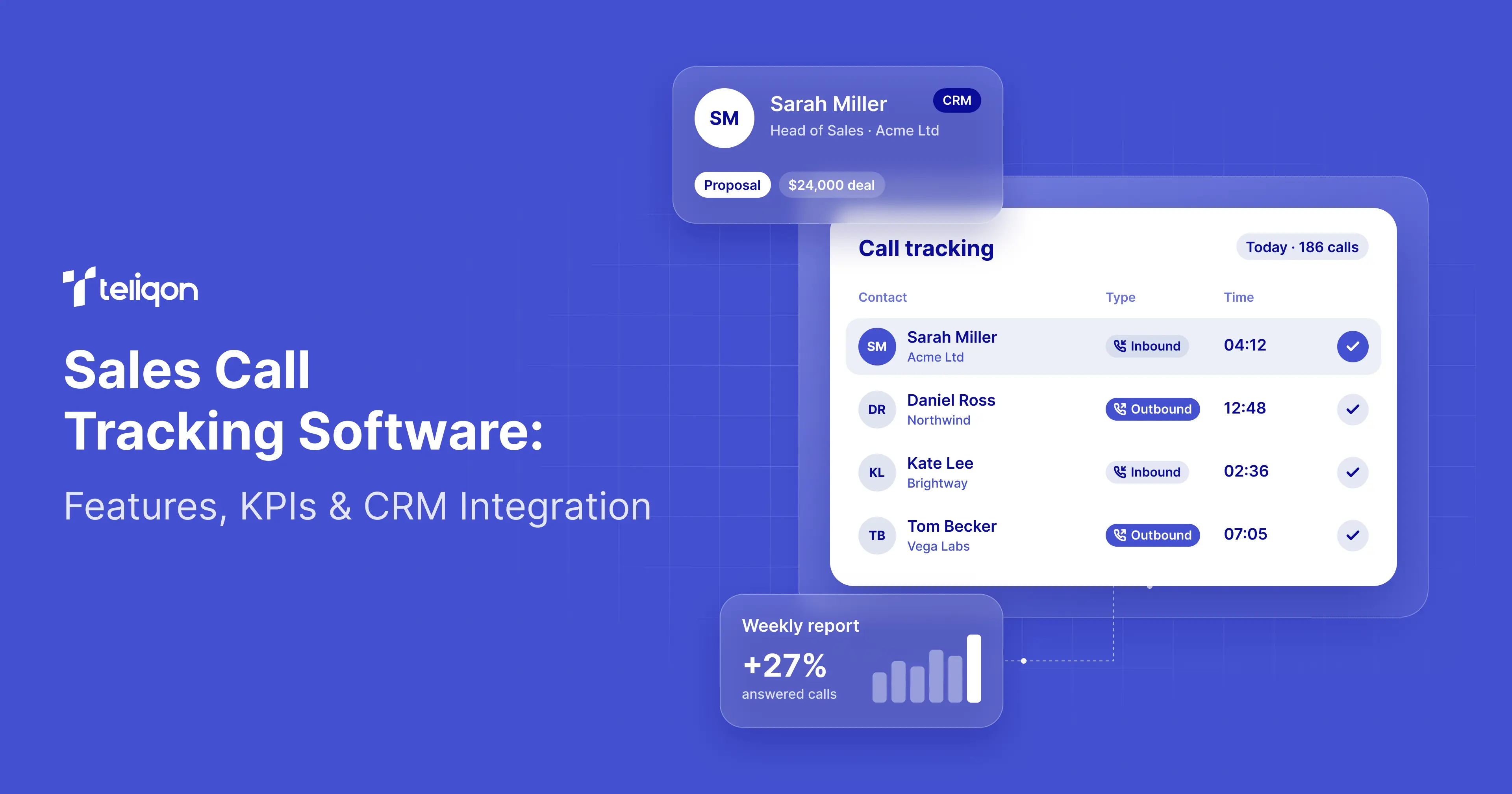
Sales Call Tracking Software: Features, KPIs & CRM Integration
Your sales team made 2,000 calls last month. But how many were accurately logged? Which sales representatives handled those calls? How many conversations led to follow-ups, meetings, or sales opportunities? And how reliable is the data in your CRM?
For CEOs and Chief Sales Officers (CSOs), these questions matter more than call volume alone.
The best sales call tracking software does more than count calls. It maintains reliable call records that help sales leaders monitor team activity, manage follow-ups, and understand how customer conversations contribute to business outcomes.
However, not all solutions offer the same capabilities. Some focus on logging call activity, while others provide detailed performance analytics. CRM integrations can also connect calling data with customer records and sales opportunities.
This guide explains how these technologies work, which features and metrics matter most, and how to choose sales call tracking software that fits your organization's needs.
Key Takeaways
-
Accurate call records are essential for reliable sales reporting. Incomplete or duplicate records can lead to misleading insights and poor management decisions.
-
Automatic call logging reduces manual data entry. Its effectiveness depends on reliable CRM integration and consistent use of the business phone system.
-
Call tracking, call analytics, and CRM attribution serve different purposes. Businesses should verify which capabilities their software supports.
-
Accurate agent attribution is critical. CRM users must be correctly linked to phone extensions and corresponding call records.
-
Call tracking should improve sales workflows, not just enable supervision. Access to contact histories, callbacks, call recordings, and relevant CRM data helps sales representatives work more efficiently.
-
Software should be tested using real sales workflows before purchase. Inbound, outbound, missed, transferred, and calls from unknown numbers may be handled differently depending on the system.
What Is Sales Call Tracking Software?
Sales call tracking software captures information about business phone calls and makes it available for operational management, reporting, and customer relationship management.
Depending on the platform, tracked information may include:
-
Call date and time.
-
Call direction (inbound or outbound).
-
Caller and recipient phone numbers.
-
Call duration and talk time.
-
Call status (answered, missed, or failed).
-
Assigned sales representative or phone extension.
-
Call recordings, when enabled.
-
Call disposition or outcome.
-
Associated CRM contact or activity record.
The goal is to maintain a reliable communication history that sales representatives and managers can access and use.
For example, when a customer calls a business, an integrated telephony system may identify the existing CRM contact, display relevant customer information, and automatically log the interaction.
When a sales representative calls the same customer later, the new interaction can be added to the existing communication history.
This reduces reliance on manual notes and helps maintain continuity when customers communicate with different team members.
Types of Sales Call Tracking Software
Sales call tracking software comes in several categories. Although these solutions may share certain features, they address different business requirements.
Choosing the right category is often more important than comparing feature lists without understanding the underlying purpose.
These categories are not mutually exclusive. Some vendors provide several capabilities within one product or through integrations.
Which Type Is Right for Your Sales Team?
For companies struggling with missing CRM activity records, Cloud PBX with CRM integration is a practical starting point.
Organizations running high-volume outbound campaigns may benefit more from an outbound sales dialer with dedicated campaign and agent reporting.
Businesses looking to identify which advertising campaigns generate phone inquiries should consider marketing call tracking software, which serves a different attribution purpose.
Teams focused on conversation quality may benefit from conversation intelligence tools. However, buyers should verify the availability of transcription, AI-powered analysis, call recording, and relevant data processing capabilities.
Teliqon offers Cloud PBX CRM integrations and Auto Dialer reporting capabilities. However, these features should not be presented as equivalent to a comprehensive marketing attribution or AI conversation intelligence platform without verifying the specific functionality required.
The selection process should start with a clear business question: What information is missing, and what decisions should that information help improve?
Call Tracking vs Call Analytics vs CRM Attribution
These terms are frequently used together, but they describe different functions.
For sales organizations, call tracking typically focuses on operational communication records.
It should not be confused with marketing call attribution, which often uses tracking numbers and other techniques to identify which advertising campaigns generated inbound calls.
Both are useful, but they answer different business questions.
Sales activity tracking asks: What happened during customer communication?
Marketing call attribution asks: Which marketing source generated the call?
CRM-based sales attribution asks: How did interactions contribute to pipeline and revenue?
A system may support one or several of these functions. Buyers should verify the exact scope rather than assuming they are included in every call tracking product.
Why Sales Teams Lose Visibility into Customer Calls
Sales organizations often invest heavily in CRM systems but still experience gaps in customer communication history.
This usually happens because telephony, CRM records, and employee workflows are not fully aligned.
Manual Call Logging Creates Incomplete Records
Sales representatives may need to enter call activities manually after every conversation.
This can include the contact name, telephone number, call duration, summary, and follow-up information.
Individually, these actions may appear minor. Across hundreds of interactions, they create repetitive administrative work.
According to Salesforce's State of Sales, 7th Edition, sales professionals spend 60% of their working week on activities categorized as nonselling, with manual data entry accounting for 13% of their time.
The report surveyed 4,050 sales professionals across 22 countries in August and September 2025.
These figures describe the broader workload of sales professionals, not the amount of time that call tracking software can eliminate.
Nevertheless, they illustrate why reducing unnecessary manual entry can be an important technology objective.
Source: Salesforce — State of Sales Research.
Sales Teams Use Different Tracking Methods
HubSpot's 2025 State of Cold Calling report surveyed more than 350 sales professionals and examined how respondents track their cold calling results.
Among respondents who identified cold calling as a major part of their daily activities, the preferred tracking methods were:
Source: HubSpot — 2025 State of Cold Calling.
Nearly half of these respondents primarily used a CRM, while more than one in five relied on spreadsheets.
However, using a CRM does not automatically mean that every phone interaction is recorded accurately or linked to the correct customer and sales representative.
The reliability of call data depends on integration settings, employee workflows, and how communication records are created and maintained.
For growing sales organizations, automatic call logging and regular data-quality checks can help reduce gaps between actual communication activity and CRM reporting.
Missing CRM Activities Distort Sales Performance Reports
Consider a sales team where representatives make calls through a business phone system but do not consistently log their activities in the CRM.
A manager reviewing CRM reports might conclude that certain accounts have received little attention, even though sales representatives have already contacted them.
The opposite can also happen: duplicate call records may make activity levels appear higher than they actually are.
Neither situation provides a reliable basis for evaluating sales performance.
Multiple Employees Can Contact the Same Prospect
A prospect may receive calls from multiple sales representatives when communication history is fragmented across different systems.
This can lead to repetitive outreach and negatively affect the customer experience.
A shared call history and accurate CRM contact matching help team members review previous interactions and avoid unnecessary follow-ups.
Incorrect Agent Attribution Creates Reporting Challenges
When a call is attributed to the wrong employee, performance reports may inaccurately reflect individual activity.
This can occur when CRM users are incorrectly mapped to phone extensions or when shared call queues lack appropriate logging rules.
Accurate agent attribution is therefore essential for both reliable reporting and effective sales management.
8 Essential Features of Sales Call Tracking Software
1. Automatic Call Logging
Automatic call logging creates records of business phone calls without requiring sales representatives to manually enter every call detail.
Depending on the integration, these records may include timestamps, call direction, duration, status, and associated customer records.
For managers, this provides more consistent activity data. For sales representatives, it reduces repetitive administrative work and makes communication histories easier to access.
Before selecting a solution, verify how it logs inbound, outbound, unanswered, and transferred calls.
2. Caller Identification and Contact Matching
When a business receives an incoming call, the system should ideally identify the corresponding customer record.
Depending on the integration, this may involve matching the caller's phone number to an existing CRM contact.
If a match is found, the sales representative can access relevant customer information. If no match exists, the system may allow users to create a new lead or contact, depending on its configuration.
Buyers should test how the system handles phone number formatting, duplicate contacts, international dialing prefixes, and callers who are not yet registered in the CRM.
Incorrect contact matching can be more problematic than leaving a call temporarily unmatched.
3. CRM User and Extension Mapping
A reliable call tracking system must associate each communication record with the appropriate sales representative.
In a Cloud PBX environment, this often requires mapping CRM users to their assigned phone extensions.
Without accurate mapping, calls may be attributed to the wrong user or fail to synchronize with the CRM as expected.
Organizations should verify how the integration handles changes to employee assignments, email addresses, and phone extensions.
4. Call Recording and Communication History
Call recordings provide additional context beyond basic metrics such as duration and call status.
They can support quality assurance, employee training, dispute resolution, and reviews of important customer conversations.
However, recording availability depends on system configuration, user permissions, and applicable legal requirements.
Buyers should verify recording retention policies, access controls, storage options, and whether CRM integrations support recording links or direct playback.
5. Call Analytics and Reporting
Sales managers need to analyze calling activity across representatives, teams, time periods, and campaigns.
Useful reporting capabilities may include:
-
Inbound and outbound call volumes.
-
Answered and missed calls.
-
Average call duration.
-
Total talk time.
-
Agent workload.
-
Campaign activity.
-
Call disposition and outcome reports.
Operational dashboards can help identify activity patterns, but analyzing revenue-related outcomes generally requires additional customer and opportunity data from the CRM.
6. Accurate Missed Call Tracking
Missed calls are particularly important for teams managing inbound sales inquiries.
However, a single incoming call may ring multiple employees within a shared queue or ring group.
If the system creates a separate missed-call record for every employee who does not answer, CRM activity reports may overstate the number of missed calls.
A suitable integration should support appropriate logging rules for shared inbound calls and accurately reflect their final outcomes.
7. Data Export and Integration Capabilities
Sales operations teams may need to analyze call records outside the phone system.
For example, CSV and spreadsheet exports can support custom reporting, data reconciliation, and internal analysis.
Organizations with more complex requirements should also evaluate the availability of documented APIs and supported integrations.
However, data export capabilities alone do not mean that a platform provides a complete data warehouse, ETL pipeline, or revenue attribution system.
8. Security and Access Controls
Call logs may contain personal information, customer identifiers, and sensitive business communication details.
Organizations should evaluate user access permissions, call recording controls, data retention practices, and integration authorization mechanisms.
They should also verify whether the software supports their applicable privacy, data protection, and call recording compliance requirements.
Sales Call Tracking Software vs CRM vs Spreadsheets
Different tools can track sales activity, but they serve different operational needs.
A spreadsheet may be suitable for a very small sales operation, but its limitations become more noticeable when several representatives handle hundreds of interactions.
A CRM provides customer and opportunity management, but does not automatically capture every phone call unless calling functionality is properly connected.
An integrated Cloud PBX and CRM environment can reduce those gaps while preserving separate responsibilities for communication management and sales processes.
How to Build a Reliable Sales Call Tracking Dashboard
A useful dashboard should provide two types of information.
The first is operational performance: how many calls were made, how many were answered, and how representatives used their time.
The second is data reliability: whether those calls were recorded accurately and associated with the correct users and customers.
Without the second, the first may be misleading.
Recommended Sales Call Tracking KPIs
These metrics should not all be presented as native features of a single telephony system.
For example, Call Logging Coverage, Unmatched Calls, and Duplicate Call Records are recommended data-quality measures that may require reconciliation between PBX and CRM exports.
Example: Measuring Call Logging Coverage
Suppose a company's phone system records 1,000 eligible calls during one reporting period.
After comparing the PBX records with CRM activities, the sales operations team identifies 850 calls with verified, correctly matched CRM records.
The logging coverage is:
850 / 1,000 × 100 = 85%.
This means that 15% of eligible calls do not have a confirmed correct CRM match under the defined reconciliation rules.
It does not necessarily mean that 15% of sales leads or opportunities were lost.
Some records may require additional investigation because of contact matching rules, missing users, synchronization failures, or business exclusions.
For a CSO, this exercise provides a much stronger basis for improving reporting accuracy than relying only on the number of activities visible in the CRM.
Why Data Quality Should Come Before Revenue Attribution
A company may calculate impressive call-to-opportunity conversion rates from incomplete data.
If some calls are missing, duplicated, or assigned incorrectly, the resulting analysis may be biased.
Before using telephony activity for performance reviews or sales forecasting, management should confirm that the underlying records are sufficiently reliable.
For a broader explanation of performance indicators, see Teliqon's Telephony Sales Metrics Guide.
How to Integrate Sales Call Tracking with a CRM
CRM integration connects phone activity with customer records and sales data.
The implementation process varies depending on the systems involved, but several technical steps are commonly required.
Step 1: Verify CRM Compatibility
Confirm that the phone system supports the required CRM platform and subscription edition.
Check administrator permissions, API limits, subscription requirements, and supported calling workflows.
The availability of a CRM integration does not necessarily mean that every feature is supported across all subscription editions.
Step 2: Connect and Authorize the Integration
An administrator typically establishes the connection between the phone system and the CRM.
This may involve authorizing the application, configuring integration settings, and granting the necessary access permissions.
Step 3: Map CRM Users to Phone Extensions
Sales representatives must be correctly mapped to their phone system accounts or extensions.
This helps ensure that call activity is attributed to the appropriate users.
Depending on the integration, user mapping may be performed automatically when email addresses match or configured manually by an administrator.
Step 4: Configure Call Journals
Call Journal settings determine how phone activity is logged in the CRM.
Organizations should review available options for call descriptions, recordings, missed calls, and contact associations.
Step 5: Test Contact Matching
Make test calls using existing customer records, new prospects, and contacts with multiple phone numbers.
Verify that each call is associated with the correct CRM record.
Step 6: Validate Call Records
Compare a sample of PBX call logs with the corresponding CRM activity records.
Investigate missing, duplicate, or incorrectly attributed entries before relying on the integration for management reporting.
Step 7: Troubleshoot Missing or Incorrect Call Records
Even after successfully connecting the CRM, sales teams should verify how the integration performs under real-world operating conditions.
If a call is missing from the CRM, first check whether it appears in the PBX call history. Then confirm that the CRM user is mapped to the correct phone extension and that logging is enabled for the relevant call type.
If a call is associated with the wrong contact, review phone number formatting, duplicate CRM contacts, and contact synchronization settings.
If a single call to a shared queue generates multiple missed-call activities, review the available Call Journal settings.
For example, Teliqon's HubSpot and Salesforce integration documentation describes a setting called Disable Display Missed Call Records in Unanswered Agents. When enabled, this setting prevents redundant missed-call activities for agents who did not answer a queue or ring group call that another agent answered.
If caller identification is inconsistent, review contact synchronization rules and verify whether real-time CRM lookup is available and enabled.
Real-time lookup may increase CRM API usage, so administrators should monitor the applicable API limits.
A practical troubleshooting process includes five steps:
-
Locate the affected call in the PBX call history.
-
Verify CRM user-to-extension mapping.
-
Check contact matching and Call Journal settings.
-
Review permissions and integration-specific requirements.
-
Repeat the test and confirm that the call is logged correctly.
If the issue persists, collect relevant timestamps, call identifiers, affected user details, and configuration information before contacting technical support.
This process helps distinguish missing data from configuration or synchronization issues without assuming that every missing call record has the same cause.
See How Teliqon Integrates with Your CRM
Explore documented integrations with Salesforce, HubSpot, Zoho CRM, Pipedrive, and other supported systems. Learn how call logging, contact matching, and user mapping work in practice.
How Teliqon Supports Sales Call Tracking
Teliqon provides business telephony, CRM integrations, and outbound campaign reporting capabilities that can support different sales call tracking requirements.
The functionality is distributed across its Cloud PBX and Auto Dialer products.
Understanding the distinction is important when selecting a configuration.
Cloud PBX CRM Integrations
Teliqon Cloud PBX provides documented integrations with:
-
Salesforce.
-
HubSpot.
-
Zoho CRM.
-
Microsoft Dynamics 365.
-
Pipedrive.
-
Odoo.
-
SugarCRM.
According to the official documentation, supported integration workflows include automatic call logging, contact identification, click-to-call, and communication history synchronization.
The exact functions depend on the CRM and selected configuration.
Explore Teliqon Cloud PBX CRM Integrations.
Accurate CRM User-to-Extension Mapping
Teliqon's integration documentation describes how CRM users can be mapped to Cloud PBX extensions.
For supported integrations, administrators can automatically match users based on their email addresses or configure mappings manually.
This helps ensure that call activity is attributed to the appropriate employees.
Configurable Call Journal Settings
Teliqon's documented CRM integrations include configurable Call Journal settings.
Depending on the supported platform, administrators can customize call record descriptions and manage options related to call recordings and missed-call logging.
One particularly useful setting helps prevent redundant missed-call entries for employees who did not answer a call to a shared queue or ring group when another employee answered it.
This can improve the accuracy of CRM call activity records.
Auto Dialer Call Detail Records
Teliqon Auto Dialer provides a Call Detail Record (CDR) report containing technical information about individual calls.
According to the documentation, users can filter records by date, phone number, campaign, lead list, agent group, agent, disposition, country, and call status.
These filtering options help sales operations managers investigate outbound campaign activity in greater detail.
Campaign Statistics
The Campaign Statistics report provides information about campaign processing results and operational performance.
Managers can analyze individual outbound campaigns and review relevant performance metrics.
This is particularly useful for organizations managing multiple prospecting campaigns across different lead lists, teams, or geographic markets.
Agent Statistics
The Agent Statistics report provides information about agent activity, including handled call volumes and time spent in different agent statuses.
For CSOs and sales operations managers, these metrics can help identify workload patterns and investigate potential issues related to staffing, lead quality, or campaign configuration.
Data Export
Teliqon's Auto Dialer documentation describes CSV exports for Call Detail Records and CSV/XLSX exports for Campaign Statistics.
These exports can support custom reporting, data reconciliation, and analysis across systems.
However, export functionality alone does not establish automatic synchronization with CRM opportunities or closed-won revenue data.
Live Operational Monitoring
The Teliqon Auto Dialer dashboard provides real-time views of active campaigns, available agent activity data, and live call statistics.
Documented indicators include Total Calls, Agents On Call, Online Agents, Waiting Clients, and Average Client Wait Time.
These metrics help supervisors identify and investigate operational issues as they occur rather than relying solely on historical reports.
Important Integration Limitations
Teliqon Cloud PBX CRM integrations and Auto Dialer campaign reporting serve related but distinct purposes.
Although organizations may use both products within the same communications environment, the availability of a Cloud PBX CRM integration does not necessarily mean that all Auto Dialer campaign data is synchronized with CRM opportunities.
Businesses requiring end-to-end campaign-to-revenue attribution should verify the necessary data flows, record identifiers, synchronization rules, and reporting processes before implementation.
Want to connect calling activity with your customer records? Explore Teliqon Cloud PBX and its supported CRM integrations to evaluate the right configuration for your sales team.
Real-World Sales Call Tracking Workflows with Teliqon
The following scenarios illustrate how documented Teliqon capabilities can support common sales operations workflows.
These are practical configuration examples, not published customer case studies or guaranteed performance outcomes.
Scenario 1: An SDR Team Using Salesforce
Business challenge: Sales representatives make calls regularly, but their customer interactions are not always logged consistently in the CRM.
Possible configuration: Teliqon Cloud PBX integrated with Salesforce.
An administrator connects a supported Salesforce edition, maps CRM users to their phone extensions, and configures the Call Journal settings.
Sales representatives then use supported calling workflows, while relevant call activity is logged in Salesforce according to the integration configuration.
Sales operations managers can review the resulting CRM activity records and compare them with PBX call logs to assess data accuracy.
KPIs: Call logging coverage, percentage of unmatched calls, and administrative time per representative.
Business value: More consistent customer communication histories and less reliance on manual call logging.
Scenario 2: An Inbound Sales Team Using HubSpot
Business challenge: Incoming calls are routed through a shared queue, but CRM reports contain redundant missed-call records.
Possible configuration: Teliqon Cloud PBX integrated with HubSpot.
An administrator reviews the Call Journal settings and configures the documented option to suppress redundant missed-call records for agents who did not answer calls handled by another agent in supported queue or ring group scenarios.
The team then tests shared inbound calls and verifies how the corresponding activities are logged in HubSpot.
KPIs: Missed-call logging accuracy, inbound response time, and duplicate activity rate.
Business value: More reliable reporting on inbound call activity.
Scenario 3: An Outbound Call Center Managing Multiple Campaigns
Business challenge: Managers can see total call volume but need more detailed insights into individual campaign and agent group performance.
Possible configuration: Teliqon Auto Dialer with Call Detail Records (CDR), Campaign Statistics, and Agent Statistics.
A manager selects a reporting period, applies relevant filters, and reviews call outcomes by campaign, lead list, or agent.
When needed, the results can be exported for additional analysis.
KPIs: Campaign contact outcomes, calls handled per agent, total talk time, and agent utilization.
Business value: Greater visibility into operational performance across outbound campaigns.
Scenario 4: A RevOps Team Auditing CRM Data Quality
Business challenge: Management dashboards show substantial sales activity, but the organization is uncertain whether all calls are correctly associated with customer records.
Recommended workflow: Compare a representative sample of PBX call logs with the corresponding CRM activity records.
The RevOps team identifies unmatched calls, duplicate records, and incorrect user associations.
The team then reviews and adjusts relevant integration settings before repeating the audit.
KPIs: Call logging coverage, percentage of unmatched calls, duplicate record rate, and agent attribution accuracy.
Business value: Greater confidence in CRM activity data and the reports used to evaluate sales performance.
This is a recommended manual audit workflow, not a claim that Teliqon automatically performs comprehensive data reconciliation across systems.
Request a CRM Integration Demo
See how Teliqon Cloud PBX can support your existing sales workflows. Explore supported call logging, caller identification, and CRM user-to-extension mapping capabilities with the Teliqon team.
How to Calculate the ROI of Automatic Sales Call Logging
One potential benefit of automatic call logging is reducing repetitive administrative work.
However, the economic value depends on how much time is actually saved, what tasks remain manual, and how the organization uses the released capacity.
Consider a hypothetical sales organization with 20 representatives.
Assume each representative handles 30 calls per working day and automatic logging eliminates 45 seconds of manual technical data entry per call.
With 22 working days per month:
At an illustrative fully loaded labor cost of $25 per hour:
165 hours × $25 = $4,125 per month in potential labor capacity.
This is not a verified customer result or guaranteed financial saving.
The example assumes all 13,200 calls previously required manual entry and that the entire 45-second task is eliminated.
Actual results may be lower because some records still require notes, verification, or additional CRM updates.
Automatic Call Logging: Three Potential Time-Saving Scenarios
The financial effect of automatic call logging depends on the type of calls handled and the amount of manual administration eliminated.
A missed call may require less documentation than a completed sales conversation. A complex customer interaction may still require manual notes, even when technical call details are logged automatically.
Consider a hypothetical team of 20 sales representatives, each handling 30 calls per working day over 22 working days.
This represents 13,200 monthly call events.
These scenarios assume that all 13,200 call events qualify for the stated time reduction.
In practice, organizations should distinguish between answered calls, missed calls, calls already logged automatically, and interactions requiring detailed notes.
For example, if only 70% of the call events qualify for an average 30-second reduction, the estimated capacity released would be:
13,200 × 70% × 30 seconds ÷ 3,600 = 77 hours per month.
At $25 per hour, this represents $1,925 in potential labor capacity.
These figures do not represent guaranteed savings or additional revenue.
A company should measure actual administrative time before and after implementation, then compare any verified economic benefit with its full telephony and integration costs.
ROI = (Verified Financial Benefits − Total Investment Costs) / Total Investment Costs × 100%.
How to Validate the Business Case
Before implementation, measure the actual time representatives spend documenting calls.
During a pilot, measure how much administrative effort remains after automatic call logging is enabled.
Compare the results across similar calling conditions.
The complete financial evaluation should also account for Cloud PBX subscriptions, traffic, phone numbers, CRM licenses, implementation, and support.
A general ROI calculation is:
ROI = (Verified Financial Benefits − Total Investment Costs) / Total Investment Costs × 100%.
Time released should only be treated as a financial benefit when it produces measurable cost reductions or additional economic value.
For CEOs, the most useful business case combines administrative efficiency, data reliability, and commercial outcomes.
How to Test Sales Call Tracking Software Before Buying
A practical pilot helps determine whether the selected solution can capture the records required by the business.
Before purchasing, define a set of representative scenarios.
Recommended Integration Test Cases
A useful pilot may include 20–30 test calls covering these scenarios.
The exact sample size should reflect implementation complexity and business risk.
Define Clear Acceptance Criteria
Before testing, agree on the desired results.
For example:
-
All eligible test calls should appear in the expected system records.
-
Users should be attributed correctly.
-
Contact matching should follow documented rules.
-
Duplicate records should be investigated and resolved.
-
Authorized users should access recordings where supported.
-
Required reports and exports should be available.
-
Security and recording settings should satisfy company policies.
These are proposed procurement criteria, not guaranteed behavior for every configuration.
Review Total Cost of Ownership
An accurate quotation should cover the required telephony subscriptions, calling traffic, numbers, integration requirements, configuration, and support.
Buyers should also consider administrative workload and potential future changes in team size.
Final Recommendations: Track Conversations, Not Just Call Counts
Sales call tracking software is most valuable when it creates dependable communication records that support employees and improve management decisions.
For CEOs, the priority is reducing operational uncertainty, improving data quality, and evaluating the financial value of communication technology.
For CSOs and Sales Operations leaders, the priority is understanding who contacted each prospect, whether follow-ups happened, and how calling activity contributes to meaningful sales outcomes.
The right solution should therefore combine accurate call logging, reliable CRM integration, appropriate agent attribution, accessible reporting, and practical controls for maintaining data quality.
Teliqon Cloud PBX provides documented CRM integrations and business calling capabilities, while Teliqon Auto Dialer supports detailed reporting for outbound campaigns and agent activity.
Together, these capabilities can support different parts of a sales organization's communication and reporting processes, subject to the selected products and integration configuration.
Want greater visibility into your sales calls and CRM activity?
Explore Teliqon Cloud PBX and review the CRM integration documentation to assess how the platform can support your team's sales communication workflows.
Sources and Further Reading
Whether your priority is reducing manual CRM updates, improving reporting accuracy, or connecting sales calls with customer records, Teliqon can help you evaluate the right Cloud PBX configuration.
Oleh Romaniuk

Follow Us in social networks


The latest from Teliqon
Stay ahead with insights from the leader in trusted communications. Subscribe for the latest blogs, updates, and exclusive content.