



Serhiy Bohush
November 23, 2026
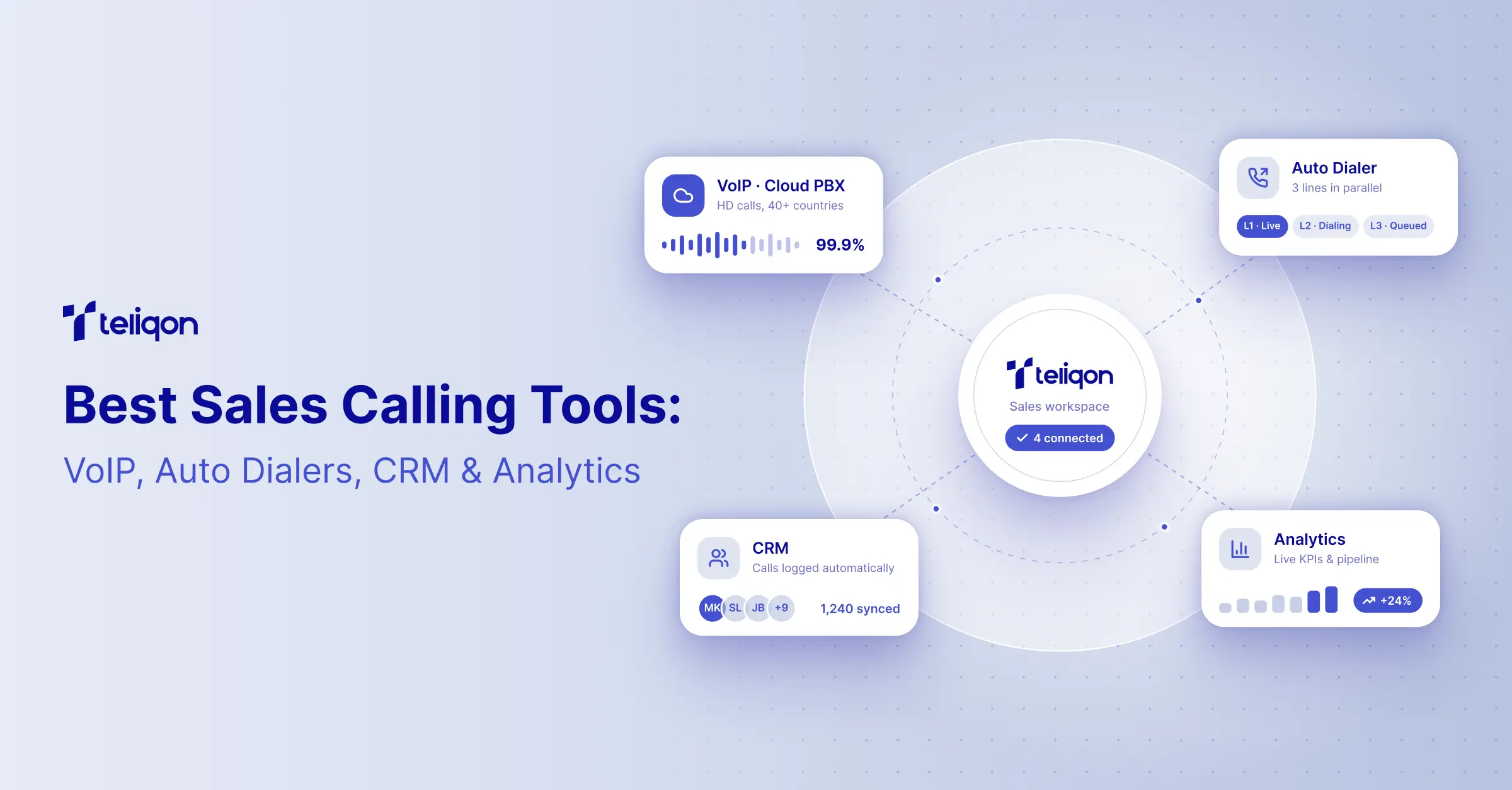
Best Sales Calling Tools: VoIP, Auto Dialers, CRM & Analytics
Choosing the right sales calling software can be challenging, especially when your team needs more than a reliable business phone system.
Depending on your sales workflows, you may need cloud telephony, automated outbound dialing, CRM integration, or call analytics. SDR teams might also rely on sales engagement platforms to manage outreach, while contact centers often require advanced campaign management and live agent monitoring.
Adding more tools, however, doesn't always improve sales performance. The key is choosing solutions that fit your team's daily workflows and work well with your existing systems.
In this guide, we'll compare popular sales calling tools, explore their features and pricing, and explain how to build a calling setup that supports your business needs.
We'll also look at where Teliqon Cloud PBX and Auto Dialer fit into different B2B sales environments.
Quick Answer: Which Sales Calling Tools Should You Choose?
The right combination depends primarily on the type of sales operation.
These are use-case recommendations, not performance rankings. Each platform's plan, regional availability, integrations, and operating limits must be checked for the intended deployment.
What Are Sales Calling Tools?
Sales calling tools help sales teams make and receive calls, automate routine tasks, manage customer conversations, and track performance.
These tools generally fall into three categories, depending on their purpose.
Layer 1: Customer and Sales Data
A Customer Relationship Management (CRM) system stores contact details, leads, deals, and communication history. It helps sales teams organize customer information, track opportunities, and manage follow-ups.
Popular CRM platforms include Salesforce, HubSpot, Zoho CRM, and Pipedrive.
Layer 2: Business Calling Infrastructure
A Cloud PBX or business VoIP platform lets sales teams make and receive calls, manage phone numbers, route incoming calls, and handle everyday business communication.
For teams making large volumes of outbound calls, an Auto Dialer automates dialing and reduces the time spent calling numbers manually.
Layer 3: Optional Sales Enablement
Sales teams may also use additional tools to manage outreach, analyze conversations, and improve performance.
Depending on their needs, these solutions can support automated sales sequences, conversation analysis, call coaching, advanced reporting, and workflow automation.
Typical B2B Sales Calling Stack
A company does not need separate products for every layer.
Some providers combine several capabilities. Others specialize in a particular function.
The objective is to create a coherent system rather than accumulate overlapping applications.
Why Your Sales Calling Stack Matters
Disconnected software can make sales processes slower and harder to manage.
According to HubSpot's 2024 Sales Trends Report, 45% of surveyed sales professionals felt overwhelmed by the number of tools in their technology stack.
The report does not prove that using more software always reduces productivity. It does demonstrate why organizations should evaluate how well their tools work together.
Source: HubSpot — Sales Trends Report.
Salesforce's State of Sales, 7th Edition also highlights the importance of connected data. Among sales leaders using AI, 51% reported that disconnected systems were slowing their AI initiatives.
These findings concern broader sales technology, not telephone systems alone.
Source: Salesforce — State of Sales.
Why Calling Should Connect with Other Sales Activities
Salesloft published an analysis on October 15, 2026, covering 338 million cadence emails sent between January and September 2026.
The analysis compared the frequency of calls alongside email cadences with the number of meetings booked.
Source: Salesloft — Calling and Email Cadence Study.
These results represent observational relationships within Salesloft's platform, not proof that adding calls independently caused the differences.
Nevertheless, the findings illustrate why calling should be considered part of a coordinated outreach process.
The practical question is not whether phone calls or emails are better. It is whether your technology supports consistent, well-organized customer engagement.
Best Sales Calling Tools Compared: Features, Pricing, and Limitations
The following comparison covers six sales calling and dialing providers, including their key features and publicly available starting prices as of November 2026.
Keep in mind that pricing structures vary between providers. Subscription costs may depend on billing frequency, minimum user requirements, included call minutes, phone numbers, CRM integrations, and advanced dialing features.
Use these prices as a starting point for comparison rather than directly equivalent quotes.
Price references:
These entry prices should not be interpreted as like-for-like costs. PhoneBurner and other vendors may publish different offers on separate official pages; obtain a current quote before purchasing.
1. Teliqon Cloud PBX: For Connected Business Communications
Best for: B2B companies looking for centralized business calling, international phone numbers, flexible call routing, and CRM integrations.
Teliqon Cloud PBX is a cloud-based business phone system that helps your team manage incoming and outgoing calls across different departments and locations.
Its key features include:
-
Business calling and extensions.
-
International virtual phone numbers.
-
Inbound and outbound call routing.
-
IVR, ACD, and call queues.
-
Click-to-call in supported workflows.
-
Call recording and Call Detail Records.
-
CRM integrations.
-
Call monitoring and reporting.
For example, if your sales team works across multiple countries, you can manage business numbers and call routing from one platform while connecting supported calling activities to your existing CRM.
Pricing: Teliqon offers three Cloud PBX packages with annual billing:
-
Starter: From $37/month for up to 10 users.
-
Business: From $67/month for up to 25 users.
-
Ultimate: From $97/month for up to 40 users.
These prices apply to packages rather than individual users. Additional phone numbers, calling usage, and optional features may affect the final cost.
Important limitation: Teliqon Cloud PBX provides business calling infrastructure, but it doesn't replace your CRM or sales engagement platform. Auto Dialer is available as an add-on option, with standalone pricing and commercial terms requiring separate confirmation.
CRM integration: Teliqon supports integrations with Salesforce, HubSpot, Zoho CRM, Microsoft Dynamics 365, Pipedrive, Odoo, and SugarCRM. Available functionality depends on the selected integration.
Why consider it: If your business already uses a CRM and needs a centralized calling system, Teliqon Cloud PBX can help connect customer communication with existing sales workflows without requiring you to replace your current CRM.
2. Teliqon Auto Dialer: For Structured Outbound Campaigns
Best for: SDR teams, outbound sales departments, and BPO/contact centers that manage high-volume calling campaigns.
Teliqon Auto Dialer is an outbound calling solution that helps sales teams automate dialing, organize campaigns, and monitor agent performance. Instead of manually dialing every number, your representatives can focus more on conversations with potential customers.
Its key features include:
-
Fixed and Adaptive dialing modes.
-
Configurable dialing coefficients.
-
Agent groups and assignments.
-
Lead importing and validation.
-
Callback scheduling and recycle rules.
-
Configurable campaign working hours.
-
Outbound call routing.
-
Live agent and campaign dashboards.
-
Detailed campaign, agent, and call reports.
For example, if your SDR team needs to contact hundreds of prospects during an outbound campaign, Teliqon Auto Dialer can help organize lead lists, configure dialing rules, and track agent activity from one platform.
Supervisors can also use campaign dashboards to monitor calling performance and adjust campaign settings based on available agent capacity.
Pricing: Teliqon Auto Dialer starts at $39 per user per month, according to its advertised product pricing. Additional calling charges and commercial conditions should be confirmed before purchase.
Important limitation: Teliqon Auto Dialer focuses on outbound calling automation and campaign management. It doesn't replace a complete multichannel sales engagement platform. CRM integration capabilities and campaign data synchronization should be verified for your specific setup.
Before choosing a plan, consider your team's calling volume, agent capacity, target destinations, and monitoring requirements.
Why consider it: If your sales team manages large outbound campaigns, Teliqon Auto Dialer provides dedicated dialing controls, campaign management, and performance reporting to help organize calling operations more efficiently.
3. Aircall: For CRM-Connected Sales and Support Teams
Best for: Businesses looking for cloud calling software with CRM integrations, call management, and features for both sales and customer support teams.
Aircall is a cloud-based business phone system that helps your team manage customer calls, connect communication with CRM records, and track calling performance.
Its key features include:
-
Business calling and phone numbers.
-
Interactive Voice Response (IVR).
-
Call recording.
-
CRM and business application integrations.
-
Basic call analytics and reporting.
-
Power Dialer and advanced analytics on higher-tier plans.
For example, if your sales representatives regularly switch between their CRM and phone system, Aircall's integrations can help them manage calling activities within their existing workflows.
Pricing: Aircall offers two main plans with annual billing:
-
Essentials: From €30 per license/month, with a minimum of three licenses. Includes business calling, IVR, call recording, integrations, and basic analytics.
-
Professional: From €50 per license/month. Adds Power Dialer, advanced analytics, and additional calling capabilities.
Important limitation: Advanced dialing, automation, and conversation intelligence features may require higher-tier subscriptions or paid add-ons. Check which capabilities are included before choosing a plan.
CRM integration: Aircall supports integrations with major CRM platforms and other business applications, allowing teams to connect calling activities with existing customer management workflows.
Why consider it: If your business needs a cloud phone system that works with your CRM and supports both sales and customer service operations, Aircall offers a range of calling features and integration options.
4. CloudTalk: For Cloud Calling and Sales Dialing Options
Best for: Sales and contact center teams looking for cloud-based business calling with additional outbound dialing capabilities.
CloudTalk is a cloud phone system that helps your team manage incoming and outgoing calls, communicate with international customers, and organize daily calling activities.
Its key features include:
-
Business calling and international phone numbers.
-
Inbound and outbound call management.
-
Call routing and handling features.
-
Outbound dialing tools.
-
Call analytics and reporting.
-
CRM and business application integrations.
For example, if your sales team handles both inbound customer inquiries and outbound prospecting, CloudTalk can help manage these activities within one calling environment. Depending on your subscription, you can also access dialing features for more structured outbound campaigns.
Pricing: CloudTalk offers several subscription tiers with annual billing:
-
Lite: From €25 per user/month.
-
Starter, Essential, and Expert: Higher-tier plans offering additional calling and management capabilities.
Important limitation: Advanced dialing, analytics, and CRM integration features may require higher-tier subscriptions or additional charges. Check which capabilities are included in your selected plan before making a decision.
CRM integration: CloudTalk supports integrations with multiple CRM platforms, helping businesses connect calling activities with customer records. Available features and synchronization capabilities depend on the integration.
Why consider it: If your team needs cloud calling for everyday business communication and additional tools for outbound sales, CloudTalk offers different subscription options to match your calling requirements.
CloudTalk Pricing and Features
5. JustCall: For Sales Calling and CRM-Oriented Workflows
Best for: Sales and support teams looking for business calling software with CRM integrations and additional sales productivity tools.
JustCall is a cloud-based business phone system that helps teams manage customer calls, connect communication with CRM workflows, and support outbound sales activities.
Its key features include:
-
Business calling and phone numbers.
-
Inbound and outbound call management.
-
CRM and business application integrations.
-
Call tracking and reporting.
-
Sales-oriented calling and automation tools.
-
Additional capabilities through its Sales Suite.
For example, if your sales representatives regularly contact prospects and update CRM records, JustCall can help connect their calling activities with existing customer management workflows.
Pricing: JustCall offers several subscription options with annual billing:
-
Team: From €23 per user/month, with a minimum of two users.
-
Higher-tier plans and Sales Suite: Additional sales calling and automation capabilities, with separate pricing conditions.
Important limitation: Advanced SalesPro features, regional calling allowances, and certain automation capabilities may have different pricing or usage restrictions. Included calling minutes can also vary depending on the selected billing region.
Before choosing a subscription, check the available calling allowances, supported destinations, and additional charges for your team's expected usage.
CRM integration: JustCall supports integrations with various CRM platforms and business applications, allowing teams to connect calling activities with their existing sales workflows. Available functionality depends on the integration and subscription.
Why consider it: If your team needs CRM-connected business calling with the option to add specialized sales tools, JustCall offers several subscription options for different sales and customer communication requirements.
6. PhoneBurner — For Dedicated Power Dialing
Best for: Outbound sales representatives and teams that prioritize structured power dialing.
PhoneBurner provides:
-
Power dialing.
-
Call dispositions.
-
Contact and CRM-related workflows.
-
Sales cadences.
-
Voicemail functionality.
-
Call analytics.
-
Recording and related capabilities by plan.
Its main pricing page advertises Standard from $140 per user per month with annual billing.
Main strength: A dedicated outbound dialing workflow with supporting contact and sales activity features.
Key limitation: The per-user price is substantially different from entry-level cloud phone plans, which do not necessarily include comparable dialing capabilities.
This is not automatically an unfavorable value proposition. The comparison must reflect the required dialing workload and included functionality.
CRM integration: Available integrations and API capabilities vary by product configuration and tier.
Best CRM, Sales Engagement, and Conversation Intelligence Tools
Business calling is only one part of a complete sales stack.
CRM Platforms
CRM platforms are responsible for commercial customer data and the sales pipeline.
A VoIP integration may register a call without automatically qualifying the prospect or moving an opportunity between stages.
Sales Engagement Platforms
Sales Engagement platforms help sales teams organize outreach across multiple channels, manage follow-up sequences, and track prospect interactions.
Outreach and Salesloft are examples of platforms that support structured sales cadences, helping representatives coordinate calls, emails, and follow-ups.
HubSpot Sales Hub also provides sales activity management and sequence features, depending on the subscription.
For example, an SDR team can use a Sales Engagement platform to schedule follow-ups, track prospect responses, and manage outreach activities across different stages of the sales process.
These platforms may include calling capabilities, but they do not necessarily replace a dedicated business phone system.
Conversation Intelligence Platforms
Conversation Intelligence platforms help sales managers analyze customer conversations, identify coaching opportunities, and understand how sales discussions influence deal progress.
Gong is an example of a platform that analyzes sales conversations and provides insights into customer interactions and revenue-related activities.
Unlike basic call recording, Conversation Intelligence software can offer transcription, conversation analysis, and tools for reviewing sales performance.
For example, a sales manager can review recurring customer objections across recorded conversations and use those findings to improve coaching sessions.
Before selecting a platform, check its transcription capabilities, supported languages, analysis accuracy, access controls, data retention policies, and CRM integrations.
Why These Categories Should Remain Separate
A Cloud PBX, CRM, Sales Engagement platform, and Conversation Intelligence system can work together within the same sales workflow, but each serves a different purpose.
-
Cloud PBX: Manages business calls, phone numbers, routing, and telephony operations.
-
CRM: Stores customer information, tracks deals, and manages sales records.
-
Sales Engagement platform: Organizes outreach sequences, follow-ups, and sales activities.
-
Conversation Intelligence platform: Analyzes customer conversations and supports sales coaching.
For example, a sales representative might use a Sales Engagement platform to schedule outreach, a Cloud PBX to make the call, a CRM to update the opportunity, and Conversation Intelligence software to review the discussion.
Some providers combine features from several categories. Before purchasing additional software, check which capabilities your existing tools already provide and whether the integrations support your team's workflow.
Which Sales Calling Stack Fits Your Business?
The most effective combination depends on the size and operating model of the team.
This table represents proposed configurations rather than predefined commercial bundles.
Small B2B Sales Teams
For small teams, simplicity is usually valuable.
A business phone system integrated with the existing CRM may provide the necessary functionality without adding a separate campaign dialer.
SDR Teams
SDR teams often need more structured outbound workflows.
When the number of calling attempts increases, dedicated dialing features become more relevant.
Sales Engagement may be useful if the team also manages complex email and call cadences.
BPO and Contact Centers
Larger contact centers need to evaluate agent capacity, dialing intensity, live monitoring, and quality assurance.
A platform should be tested against actual workloads rather than vendor claims about theoretical scalability.
International Sales
International calling requires special attention to destination availability, number types, routing costs, local rules, and agent coverage.
A provider's country coverage does not guarantee that every number type is available under identical terms in every market.
The True Cost of a Sales Calling Stack
Software subscription price is not the same as total cost of ownership.
Businesses should account for the complete solution.
Example: A 20-User B2B Sales Team
Consider a hypothetical company with 20 sales users that needs business calling, an outbound dialer, CRM connectivity, and operational reporting.
The company compares two proposed architectures.
Architecture A: Separate Applications
-
Standalone VoIP platform.
-
Separate outbound dialer.
-
External analytics application.
-
CRM integration service.
Architecture B: Consolidated Communications Layer
-
Communications platform combining business telephony and relevant calling reports.
-
Dedicated dialer functionality.
-
Existing CRM.
-
Native or configured CRM integration.
The following values are illustrative budgeting assumptions, not actual quotes from Teliqon or competing vendors.
Both scenarios assume the company already has a CRM subscription, which is excluded from both totals.
Telephone traffic, numbers, and additional storage are also excluded.
The consolidated architecture is cheaper under these assumptions because fewer components and lower integration costs were assigned to it.
That is not evidence that Teliqon or consolidated platforms are universally cheaper.
Actual quotes may produce a different result.
What This Example Demonstrates
A buyer should evaluate the full cost of delivering the required functionality.
An inexpensive subscription can become expensive when essential features, integration work, or call traffic are added.
Conversely, a higher-priced specialist tool may be justified if its capabilities produce sufficient business value.
The correct decision depends on comparable requirements, complete pricing, and actual operating conditions.
How to Evaluate Sales Calling Tools: A 100-Point Buyer Scorecard
Use a consistent evaluation method when comparing providers.
Score each category from 0 to 5.
Calculate:
Weighted Score = Σ (Criterion Weight × Score ÷ 5)
For example, a vendor scoring four out of five in every category receives 80/100.
How to Interpret the Score
A weighted score is useful for comparing solutions after mandatory requirements are satisfied.
It is not a substitute for technical acceptance criteria.
If a platform cannot support a critical CRM integration, required country, security control, or dialing process, a high score elsewhere should not override that limitation.
Suggested Vendor Comparison Method
-
Define mandatory requirements.
-
Select three or four relevant vendors.
-
Apply the same use cases to every demonstration.
-
Evaluate technical compatibility.
-
Calculate total cost under comparable conditions.
-
Run a pilot where possible.
-
Record operational and user feedback.
-
Select the vendor that best meets requirements rather than the one with the longest feature list.
This methodology is more useful than assigning unsupported product ratings based on marketing descriptions.
Common Mistakes When Buying Sales Calling Software
Choosing the wrong sales calling software can increase costs, complicate daily workflows, and limit your team's productivity. Here are seven common mistakes to avoid when comparing providers.
Choosing Software Based on Brand Popularity
A well-known provider may offer plenty of features, but that doesn't mean it fits your team's calling requirements. A small SDR team and a large outbound contact center may need very different tools.
Better approach: List your essential features, integrations, and calling requirements before comparing vendors.
Comparing Pricing Models Without Calculating Total Costs
Some providers charge per user, while others offer packages covering multiple users. Comparing their advertised starting prices can give you an inaccurate picture of the actual cost.
Better approach: Calculate the total monthly cost for the same number of users, expected calling volume, phone numbers, and required features. Include add-ons and usage charges.
Assuming CRM Integration Includes Every Feature
A provider may advertise CRM integration, but the available functions can vary. For example, automatic call logging, contact lookup, and workflow automation may have different requirements.
Better approach: Test your actual CRM workflow before purchasing. Check whether calls are logged correctly, customer records appear when needed, and relevant data synchronizes as expected.
Buying an Auto Dialer Without Evaluating Agent Capacity
An Auto Dialer can increase outbound calling activity, but poorly configured dialing can create problems when too many calls connect and too few agents are available.
Better approach: Check dialing modes, pacing controls, agent availability, and real-time monitoring. Run a pilot campaign to evaluate how the system handles your team's workload.
Paying for Features You Already Have
Your existing phone system may already include call recording, analytics, or basic dialing functions. Purchasing separate tools with overlapping capabilities can increase costs and create unnecessary complexity.
Better approach: Review your current software stack and identify missing capabilities before adding another platform.
Confusing Call Recording with AI Conversation Intelligence
Call recording lets managers listen to previous conversations. AI Conversation Intelligence may also provide transcription, summaries, conversation analysis, and coaching insights, depending on the product.
Better approach: Ask providers to demonstrate the specific AI features your team needs using representative sales conversations. Check supported languages, transcription accuracy, and data access controls.
Overlooking Migration and Ongoing Administration
Subscription fees are only part of the cost. Your team may also need time and resources for setup, CRM integration, number porting, permissions, employee training, and ongoing maintenance.
Better approach: Calculate the total cost of ownership, including implementation, training, administration, and potential migration expenses.
Implementation Checklist
Before choosing sales calling software, make sure it supports your team's daily workflows, integrates with existing tools, and fits your budget.
Use this checklist to evaluate potential providers:
-
Calling requirements: Identify the inbound and outbound calling scenarios your team needs to manage.
-
International coverage: Confirm that the provider supports your target countries, phone numbers, and calling destinations.
-
CRM integration: Test the required functions, including contact lookup, call logging, and data synchronization.
-
Call routing: Check how incoming calls are distributed, transferred, and handled when agents are unavailable.
-
Security and recording: Review call recording settings, user permissions, and access controls.
-
Agent experience: Test how easily representatives can make calls, access customer information, and complete follow-up tasks.
-
Reporting: Confirm that dashboards provide the operational metrics your managers need to monitor performance.
-
Outbound dialing: Evaluate available dialing modes, campaign settings, and agent capacity requirements.
-
Total cost: Include subscription fees, calling charges, phone numbers, add-ons, implementation, and ongoing administration.
-
Technical support: Check support availability, response commitments, and escalation procedures.
-
Compliance: Review applicable privacy, call recording, and outbound calling regulations in your target markets.
If your business already uses a CRM, phone system, or sales engagement platform, review their existing capabilities before replacing anything. You may be able to keep some tools and integrate new calling software into your current workflow.
Final Recommendations: Build a Connected Sales Calling Stack
The best sales calling technology is not the largest collection of applications.
It is the combination of tools that supports your actual sales workflows while maintaining reliable communication, accessible customer information, useful reporting, and manageable costs.
For small B2B teams, the priority may be cloud telephony and CRM integration.
For outbound SDR teams, a dedicated dialer may create additional operational value.
For BPO and contact center environments, campaign management, agent visibility, recording, and reporting become increasingly important.
For larger organizations, sales engagement and conversation intelligence may add capabilities beyond basic calling.
Teliqon Cloud PBX and Auto Dialer provide business communication functions that can form part of this technology environment.
Their documented capabilities include business calling, routing, international numbers, supported CRM integrations, outbound campaign management, recordings, monitoring, and reports.
The appropriate solution depends on your existing CRM, team structure, calling volumes, target countries, and specific requirements.
Need Help Choosing the Right Sales Calling Tools?
Tell the Teliqon team how many sales representatives you have, which CRM you use, your target markets, and whether your business focuses on inbound communication, outbound campaigns, or both.
Explore a suitable Cloud PBX and Auto Dialer configuration for your workflows.
Sources and Further Reading
Serhiy Bohush

Follow Us in social networks


The latest from Teliqon
Stay ahead with insights from the leader in trusted communications. Subscribe for the latest blogs, updates, and exclusive content.