



Oleh Romaniuk
November 18, 2026
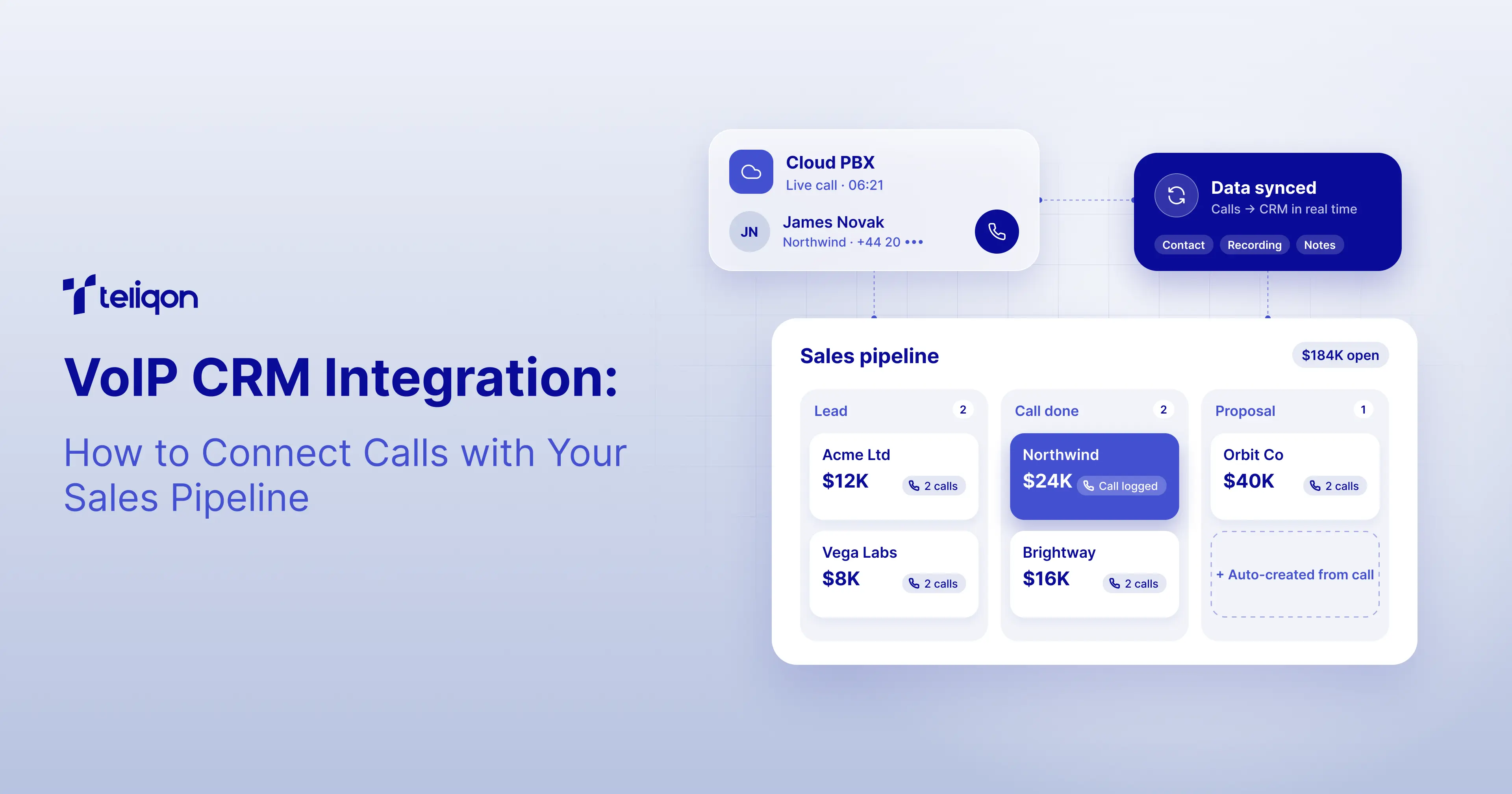
VoIP CRM Integration: How to Connect Calls with Your Sales Pipeline
Your sales team manages leads, contacts, and opportunities in a CRM, while your phone system handles customer conversations. But are these systems connected?
Without effective integration, representatives may need to switch between applications, manually log calls, search for customer information, and update follow-up tasks. Sales managers may also find it difficult to track prospect outreach and connect interactions to active deals.
VoIP CRM integration links your business phone system with customer relationship management software, enabling call activities and customer information to be shared between platforms.
In B2B sales, the goal is not just to count calls but to integrate communication into the sales workflow, from identifying prospects and recording interactions to managing next steps in the pipeline.
This guide explains how VoIP CRM integration works, what to check before implementation, and how Teliqon Cloud PBX connects with Salesforce, HubSpot, Zoho CRM, Microsoft Dynamics 365, Pipedrive, Odoo, and SugarCRM.
Key Takeaways
-
VoIP CRM integration connects telephone interactions with customer records. Supported features may include click-to-call, contact lookup, call logging, and recording access.
-
Call logging is not the same as pipeline automation. The phone integration records supported communication events; CRM workflows manage tasks, qualification, and opportunity progression.
-
Correct user and contact mapping is essential. Incorrect associations can make CRM communication histories unreliable.
-
Integration requirements differ by CRM. Supported editions, administrator permissions, and configuration procedures must be verified.
-
Contact synchronization has defined limits. It does not necessarily mean every CRM contact field synchronizes bidirectionally.
-
A controlled pilot should precede deployment. Test real calling workflows and CRM business rules before relying on the integration.
What Is VoIP CRM Integration?
VoIP CRM integration is a connection between a Voice over Internet Protocol (VoIP) phone system and a customer relationship management platform.
This integration enables access to and recording of communication data within CRM workflows.
For example, when a customer calls, the phone system can identify the related CRM contact and display relevant information.
Sales representatives can use click-to-call functionality to initiate calls directly from the CRM.
After the interaction, the phone system can automatically register supported call details in the CRM communication history.
What Can VoIP and CRM Systems Share?
Depending on the selected integration, available functions may include:
Important: Contact sync does not necessarily mean that every CRM contact field is synchronized bidirectionally. The exact data flow depends on the selected integration and configuration.
An organization should confirm which CRM objects, fields, events, and directions of synchronization are supported before deployment.
VoIP CRM Integration vs Sales Pipeline Automation
These capabilities complement each other but serve different purposes.
VoIP CRM integration connects the business phone system to CRM customer information.
Automatic call logging records supported telephone events and their technical details.
Sales pipeline automation uses CRM-defined business rules to manage follow-up tasks, lead ownership, qualification, and opportunity progression.
For example, a completed phone call does not automatically mean that a prospect is qualified or that an opportunity should advance to the next stage.
Those decisions require appropriate data, defined criteria, and CRM functionality.
Why Connect VoIP with Your Sales CRM?
Reduce Unnecessary Administrative Work
Representatives may spend time manually entering call details, switching between applications, or finding customer records.
Supported call logging and click-to-call features can reduce some of these repetitive activities.
According to Salesforce's State of Sales, 7th Edition, 51% of sales leaders using AI reported that disconnected systems were slowing their AI initiatives. The same research found that 74% of sales professionals were focusing on data cleansing.
The study covered 4,050 sales professionals across 22 countries.
These findings concern broader sales technology challenges rather than VoIP integration specifically. However, they reinforce the importance of consistent, connected customer data.
Source: Salesforce — State of Sales Research.
Give Representatives Better Customer Context
When a customer calls, representatives benefit from immediate access to the customer's identity and relationship history.
This reduces repeated questions and enables smoother continuation of existing conversations.
Support Consistent Follow-Ups
After a call, the sales representative may need to schedule follow-up conversations, qualify opportunities, or send requested information.
The CRM should manage those next steps through the company's established sales processes.
Improve Visibility Across the Sales Pipeline
Sales managers need visibility into customer conversations and confirmation that agreed actions are completed.
Reliable communication records provide useful context for CRM reporting, although sales outcomes must still be managed and measured through appropriate CRM data.
How VoIP CRM Integration Works: From Phone Call to Sales Opportunity
A practical integration workflow involves both technical and business processes.
The distinction matters: Teliqon Cloud PBX supports documented communication integration features, while qualification, follow-up automation, and opportunity management depend on the corresponding CRM workflows.
How to Connect VoIP with Your Sales Pipeline in 7 Steps
Step 1: Define the Sales Workflow
Before connecting systems, define how telephone communication fits into your pipeline.
For example:
New Lead → First Contact → Qualified → Discovery → Proposal → Negotiation → Closed
Identify which stages require telephone interaction and what information representatives must record.
Determine who owns each follow-up and which actions require CRM automation.
Implementation output: A documented calling workflow with clear responsibilities.
Step 2: Confirm CRM Compatibility
Verify that the VoIP system supports your CRM platform, edition, and required features.
For Teliqon Cloud PBX, an active subscription is required to configure its supported CRM integrations.
Check administrator privileges, integration-specific requirements, and any applicable CRM API limits.
Implementation output: A verified technical requirements checklist.
Step 3: Authorize and Configure the Connection
Follow the relevant official CRM integration instructions.
Depending on the platform, this may involve administrator authorization, application configuration, and additional technical setup.
Do not assume every CRM integration uses the same connection procedure.
Implementation output: An authenticated integration with the required configuration.
Step 4: Associate CRM Users with PBX Extensions
Each employee must be associated with the correct telephone extension.
Teliqon documents automatic association for certain configurations when user email addresses match, alongside manual user mapping.
Correct association helps ensure that call activities belong to the appropriate representatives.
Implementation output: Verified CRM-user and extension assignments.
Step 5: Configure Contact Lookup and Call Journal
Determine how customer information is accessed and how supported call events are logged.
Review:
-
CRM phonebooks and relevant contact records.
-
Contact synchronization settings.
-
Number matching and caller identification.
-
Call Journal descriptions and supported fields.
-
Recording access where enabled.
-
Missed-call logging rules.
Teliqon's documented Always Query CRM setting can retrieve more current contact information in supported integrations, but it may increase CRM API usage.
Real-time lookup also has documented restrictions for certain configurations using masked numbers.
Implementation output: Define and test synchronization behavior.
Step 6: Build CRM Follow-Up Workflows
Once calling records are available, configure the next steps using the CRM's supported functionality.
Examples include:
-
Assigning a follow-up task after an eligible missed inquiry.
-
Notifying a representative about an overdue callback.
-
Updating a lead's qualification status after the required data is entered.
-
Advancing an opportunity when defined business conditions are satisfied.
These are suggested CRM automation scenarios and may not reflect standard Teliqon Cloud PBX actions in every integration.
Implementation output: Documented CRM workflows, including triggers, conditions, and assigned responsibilities.
Step 7: Test Calling, Logging, and CRM Actions
Run representative inbound and outbound calls.
Check that the correct contact and employee appear in the CRM.
Verify that call details, recordings, and missed-call activities function as configured.
Next, test the CRM follow-up workflows configured separately.
Implementation output: A validated integration ready for a controlled rollout.
Practical Example: Teliqon Cloud PBX + HubSpot
A B2B sales team uses HubSpot to manage incoming leads and opportunities.
The company wants representatives to recognize existing customers, initiate calls from CRM records, and maintain a consistent history of telephone interactions.
Initial Configuration Process
The administrator verifies that the company has an active Teliqon Cloud PBX subscription and a supported HubSpot environment.
The integration is set up following Teliqon's official documentation, which outlines the required administrator and application configuration steps.
CRM users are then linked to their Cloud PBX extensions.
The administrator configures the relevant contact synchronization and Call Journal options.
A Customer Calls the Sales Team
An existing prospect calls the company’s business number.
The call is handled by Teliqon Cloud PBX.
With the relevant settings enabled, the integration looks up the phone number and identifies the corresponding HubSpot contact.
The representative views the available customer context through the supported interface.
The Call Ends
The integration records relevant communication details in HubSpot based on the configured settings.
The record may include the call timestamp, direction, duration, and any available recording information.
The employee then adds details that require sales judgment, such as qualification findings, objections, or agreed next steps.
HubSpot Manages the Follow-Up
Suppose the prospect requests a demonstration next week.
The representative records the request in HubSpot.
An appropriately configured HubSpot workflow can create or assign a follow-up task, depending on the available CRM functionality and defined conditions.
When the prospect becomes qualified, HubSpot manages the relevant deal or opportunity process.
Management Reviews the Pipeline
The sales manager can use CRM records and reports to review communication history and opportunity development.
This provides a practical connection between phone activity and sales execution without assuming that the phone system itself automatically qualifies leads or closes deals.
The central lesson: Teliqon connects supported calling activity with HubSpot. HubSpot remains responsible for business rules, sales tasks, and pipeline management.
Teliqon CRM Integrations: Supported Platforms
Teliqon Cloud PBX provides documented ready-made integrations with seven CRM platforms.
The listed capabilities are subject to the requirements and settings documented for each CRM.
HubSpot Integration
Teliqon supports calling workflows that include contact identification, call history, click-to-call, and embedded controls.
The setup requires appropriate administrator access and application configuration.
Salesforce Integration
Teliqon provides user association, contact lookup, Call Journal, and supported calling controls.
Organizations should verify the Salesforce edition and relevant administrator permissions before deployment.
Zoho CRM Integration
Zoho CRM integration supports relevant contact and calling workflows.
Administrators should verify edition compatibility and regional settings.
Microsoft Dynamics 365 Integration
The integration supports contextual calling, CRM information lookup, and call activity management.
Its implementation has specific Microsoft and Dynamics 365 requirements.
Pipedrive Integration
Teliqon supports contact identification, user mapping, and call journal features.
The documented configuration process includes an integration template supplied through Teliqon support.
Odoo Integration
The documentation describes supported Odoo Enterprise environments and related administrative requirements.
SugarCRM Integration
Teliqon provides customer information synchronization and communication activity logging with appropriate configuration.
Check Your CRM Compatibility
Explore the supported integrations and review the technical requirements for your CRM before deployment.
Source: Teliqon — Cloud PBX CRM Integration Documentation.
Common VoIP CRM Integration Problems and How to Troubleshoot Them
Successful authorization does not guarantee that every telephone event will appear correctly in the CRM.
Example: Duplicate Missed Calls in Shared Queues
Teliqon's documentation describes a setting named Disable Display Missed Call Records in Unanswered Agents.
In supported integrations, this option helps avoid unnecessary missed-call records for agents who did not answer a shared queue or ring group call answered by another representative.
This setting is particularly useful when a single inbound inquiry can ring several employees.
Example: CRM Contact Lookup Is Outdated
If customer information appears outdated, review the contact synchronization settings and the available real-time CRM lookup option.
The Always Query CRM feature can request current information from the CRM, but administrators should consider API limits and documented restrictions.
Example: An Opportunity Does Not Advance After a Call
A completed call and an opportunity stage change are separate events.
The first may be recorded through the Cloud PBX integration.
The second requires a supported CRM workflow or a sales representative's action.
The solution is not necessarily a telephony configuration change. It may require reviewing CRM automation rules, permissions, or the data used for qualification.
Need Help with Your Existing CRM Integration?
Review the supported configuration options and discuss user mapping, contact lookup, and Call Journal behavior with the Teliqon team.
How to Test a CRM Telephony Integration Before Deployment
Before using the integration in production, perform a controlled pilot.
A starting test set can include 20–30 representative calls, expanded according to the number of employees, CRM objects, call routes, and business workflows.
Acceptance Criteria
Before rollout, agree on measurable requirements:
-
Eligible calls must appear in the expected records.
-
Employees must be mapped correctly.
-
Contact matching must follow defined rules.
-
The integration must avoid unintended duplicate activities.
-
Recordings must be accessible only where supported and authorized.
-
CRM workflows must execute according to their configured business logic.
-
Administrators must understand how to investigate errors.
These are recommended implementation criteria, not guarantees for all CRM configurations.
How to Evaluate the Business Value of VoIP CRM Integration
The main business value of CRM telephony integration is connecting communication with existing sales processes.
For implementation evaluation, focus on a small number of indicators:
A comprehensive analysis of calling metrics belongs in a dedicated sales call tracking guide.
For detailed formulas, data-quality metrics, and reporting criteria, read Sales Call Tracking Software: Features, KPIs & CRM Integration.
Evaluating the Financial Impact
Rather than assuming that integration automatically increases revenue, compare the business process before and after deployment.
Measure how much time employees spend documenting calls, how often contact records require correction, and whether follow-up processes become more consistent.
Include all relevant costs, such as Cloud PBX, telephone numbers, call traffic, CRM licensing, implementation, and ongoing administration.
Any claimed financial benefit should be supported by actual operational or commercial measurements.
VoIP CRM Integration Implementation Checklist
Before going live, confirm:
Business setup
-
The sales process and ownership rules are documented.
-
Required contact and opportunity fields are defined.
-
Follow-up processes are clear.
Technical setup
-
CRM edition and administrator requirements are verified.
-
Cloud PBX is active and configured.
-
CRM authorization has been completed.
-
CRM users are associated with phone extensions.
-
Contact lookup and Call Journal settings are tested.
Operational validation
-
Inbound and outbound calls behave as expected.
-
Shared queue and missed-call scenarios are tested.
-
Recording access follows permissions and applicable requirements.
-
Unmatched contacts and API-related limitations are understood.
-
CRM automation rules are tested separately.
Deployment readiness
-
Support responsibilities are defined.
-
Employee instructions are available.
-
Problems can be reproduced and escalated.
-
Reporting and verification procedures are documented.
Final Recommendations: Connect Calls with Your Sales Workflow
A business phone system manages communication. A CRM manages customer relationships and sales opportunities.
The value of VoIP CRM integration comes from connecting these capabilities without losing the distinction between technical call events and business decisions.
For CEOs, the priority is reducing fragmented systems and unnecessary administrative work.
For CSOs and Sales Operations leaders, the priority is enabling more consistent communication workflows, reliable customer context, and clearer responsibility for follow-up actions.
Teliqon Cloud PBX provides documented integrations with Salesforce, HubSpot, Zoho CRM, Microsoft Dynamics 365, Pipedrive, Odoo, and SugarCRM.
These integrations support different combinations of contact synchronization, caller identification, click-to-call, user association, Call Journal, and recording access.
The right configuration depends on your CRM environment, calling workflows, permissions, and sales process requirements.
Ready to Connect Your Business Phone System with Your CRM?
Explore how Teliqon Cloud PBX can support customer communication inside your existing sales environment.
Review CRM compatibility, discuss your workflow requirements, and request a demonstration of the relevant integration.
Oleh Romaniuk

Follow Us in social networks


The latest from Teliqon
Stay ahead with insights from the leader in trusted communications. Subscribe for the latest blogs, updates, and exclusive content.